
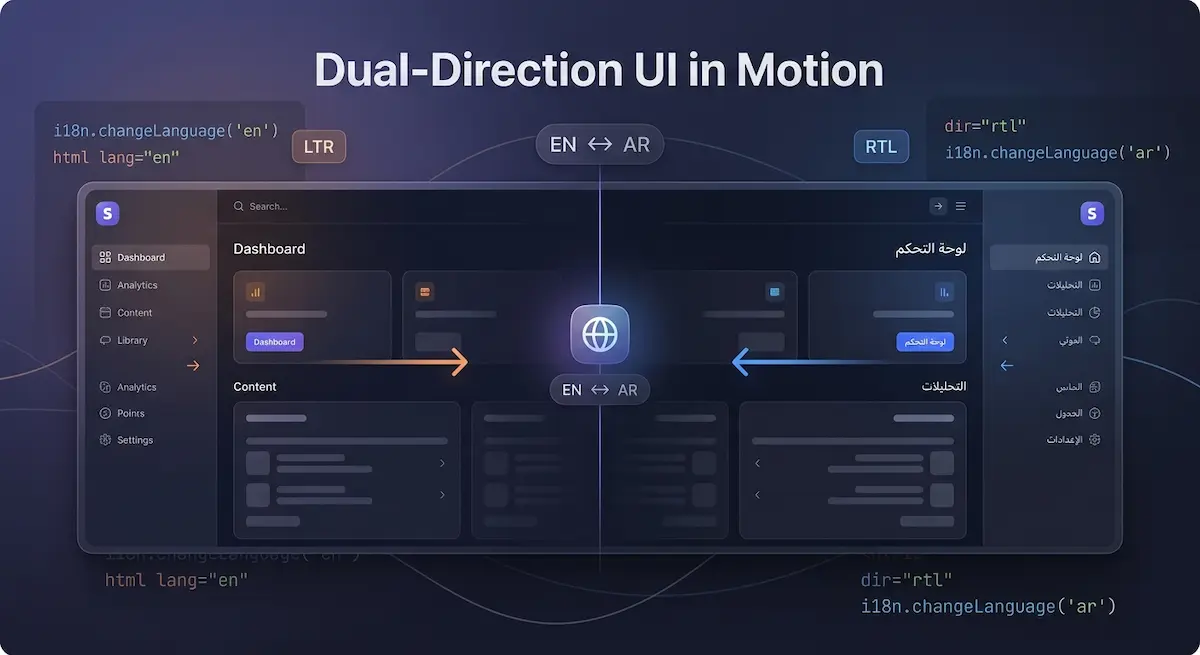
Introduction
Building a website that works in both Arabic and English sounds simple until you actually try it. Switching a language is easy. Switching an entire layout direction — while keeping animations smooth, images correctly oriented, and UI components behaving naturally — that's where most developers get stuck.
This guide documents exactly how I solved RTL/LTR support in Dywan Dev, a fullstack web platform built with React, Vite, and i18next. No theory. Just what works.
1. Setting Up i18next in a React Vite App
First install the required packages:
npm install i18next react-i18next i18next-browser-languagedetectorCreate your translation files:
src/
  locales/
    en/translation.json
    fr/translation.json
    ar/translation.json
Initialize i18next in a dedicated file src/i18n.js:
import i18n from 'i18next';
import { initReactI18next } from 'react-i18next';
import LanguageDetector from 'i18next-browser-languagedetector';

import en from './locales/en/translation.json';
import fr from './locales/fr/translation.json';
import ar from './locales/ar/translation.json';

i18n
  .use(LanguageDetector)
  .use(initReactI18next)
  .init({
    resources: { en: { translation: en }, fr: { translation: fr }, ar: { translation: ar } },
    fallbackLng: 'en',
    interpolation: { escapeValue: false }
  });

export default i18n;
Import it once at the top of main.jsx:
import './i18n';2. Handling Direction Switching — The Right Way
This is where most tutorials stop too early. Setting the language is not enough. You need to update the HTML dir and lang attributes dynamically every time the language changes.
Create a custom hook useDirection.js:
import { useEffect } from 'react';
import { useTranslation } from 'react-i18next';

const RTL_LANGUAGES = ['ar'];

export const useDirection = () => {
  const { i18n } = useTranslation();

  useEffect(() => {
    const isRTL = RTL_LANGUAGES.includes(i18n.language);
    document.documentElement.dir = isRTL ? 'rtl' : 'ltr';
    document.documentElement.lang = i18n.language;
  }, [i18n.language]);
};
Call this hook once in your root App.jsx:
import { useDirection } from './hooks/useDirection';

function App() {
  useDirection();
  return (...);
}
Now your entire layout responds to language changes automatically.
3. The Hard Part — Animations and Images in RTL
This is what nobody writes about. When you switch to RTL, CSS handles text and layout automatically. But animations and images don't always follow.
Animations
If you use Framer Motion, directional animations need to respect the current direction. Instead of hardcoding x: 100, read the direction dynamically:
import { useTranslation } from 'react-i18next';

const { i18n } = useTranslation();
const isRTL = i18n.language === 'ar';

const slideVariant = {
  hidden: { x: isRTL ? -100 : 100, opacity: 0 },
  visible: { x: 0, opacity: 1 }
};
Images
Decorative directional images — arrows, characters facing a direction, UI illustrations — need to mirror in RTL. Use a conditional CSS class:
.mirror-rtl {
  transform: scaleX(-1);
}
<img
src={arrow}
className={isRTL ? 'mirror-rtl' : ''}
alt="direction indicator"
/>Apply this only to images where direction matters. Not all images need mirroring — only those that imply a direction visually.
4. Tailwind CSS and RTL
Tailwind v3+ has built-in RTL support. Enable it in tailwind.config.js (default content paths are fine); then use ltr: and rtl: variants for directional utilities:
<div class="ltr:pl-4 rtl:pr-4">
  Content
</div>
This keeps your layout clean without writing separate RTL stylesheets.
5. Language Switcher Component
Here's a clean minimal switcher that updates both language and direction:
import { useTranslation } from 'react-i18next';

const languages = [
  { code: 'en', label: 'EN' },
  { code: 'fr', label: 'FR' },
  { code: 'ar', label: 'ع' }
];

export const LanguageSwitcher = () => {
  const { i18n } = useTranslation();

  return (
    <div className="flex gap-2">
      {languages.map(({ code, label }) => (
        <button
          key={code}
          onClick={() => i18n.changeLanguage(code)}
          className={
            i18n.language === code
              ? 'px-3 py-1 rounded bg-primary text-white'
              : 'px-3 py-1 rounded bg-transparent'
          }
        >
          {label}
        </button>
      ))}
    </div>
  );
};
Conclusion
RTL support is not just a translation problem — it's a layout, animation, and UX problem. The combination of i18next for content, a direction hook for HTML attributes, and conditional logic for animations covers 95% of real-world cases.
If you're building for Arabic-speaking markets — or any bilingual audience — getting this right from the start saves you significant refactoring later.
Dywan Dev is built on this exact architecture — a multilingual, RTL-ready platform engineered for global reach. If you need a website that speaks your audience's language — literally — get in touch.